The average retail workstation loses approximately 14% of its potential alpha to sub-optimal visual processing and data lag. When you’re navigating the NQ or ES markets, a single second of latency or a cluttered professional chart setup for futures can trigger the emotional bias that leads to a 2% drawdown on a single session. You already know that technical precision is the only defense against the volatility of high-speed futures.
An optimized workspace isn’t about adding more tools; it’s about removing the human element from the equation. We’ll architect a high-precision environment designed to eliminate analysis paralysis and maximize data clarity. You’ll learn the exact low-latency configuration and clinical layout used to identify high-probability setups without the noise of traditional retail charts. This article from Quantum Navigator provides a modular, step-by-step blueprint for converting your charting interface into a rigorous quantitative environment, ensuring your execution remains as clinical as the data itself.
Key Takeaways
Apply the “Subtraction Principle” to eliminate retail-grade noise and establish a clinical visual hierarchy for high-stakes futures trading.
Secure institutional-grade data integrity by configuring real-time CME Group feeds and selecting optimal continuous contract symbols for NQ and ES.
Architect a professional tradingview chart setup for futures using a synchronized three-chart layout to align directional bias with precise execution.
Replace lagging indicators with quantitative AI signals designed to identify institutional liquidity zones and high-probability entry points.
Streamline your technical workflow by transitioning from manual analysis to a sophisticated, data-driven automated strategy within the Quantum Navigator ecosystem.
The Fundamentals of Professional Futures Chart Architecture
A professional tradingview chart setup for futures requires a departure from retail methodologies. Retail traders often clutter their interface with lagging indicators that obscure price action. Quantitative professionals prioritize raw data density and visual clarity. This approach is rooted in the core principles of technical analysis, where price and volume provide the only objective truths. By 2026, TradingView Supercharts have evolved to support sub-millisecond data refreshes and multi-asset synchronization, making it a viable institutional-grade terminal for active NQ and ES participants.
The “Subtraction Principle” is the foundation of this architecture. It dictates that every added element must earn its place through a measurable increase in edge. In a high-frequency NQ environment, a 50-millisecond delay in visual processing caused by indicator lag can result in 4.5 points of slippage. Professional layouts strip away 90% of default oscillators to focus on order flow and structural liquidity. A clinical workspace ensures that your tradingview chart setup for futures facilitates rapid execution rather than analysis paralysis.
Data Integrity: Use official exchange data from CME/CBOT to ensure 100% accuracy in volume profile readings.
Visual Hierarchy: Price action occupies 80% of the vertical space; volume and delta occupy the remaining 20%.
Latency Management: Minimize active Pine Scripts to maintain a stable 60 FPS refresh rate during high-volatility news events.
NQ vs. ES: Visualizing Volatility Differences
The Nasdaq-100 (NQ) exhibits a high-beta profile, often moving 2.5% in a single session. This requires a dynamic price scale that prevents candle compression during 300-point swings. In contrast, the S&P 500 (ES) maintains higher liquidity levels, with 500 or more contracts often sitting at each tick level. Traders must use a 1:1 scale for ES to identify absorption clusters accurately. Separate layouts are mandatory to account for these 15% variance levels in average true range between the two instruments. You can’t apply a one-size-fits-all scaling logic when NQ volatility is 3.2 times higher than ES on average.
Removing Human Bias through Chart Design
Visual architecture directly impacts cognitive load and emotional regulation. Using a neutral palette, such as hex codes #131722 for backgrounds and #d1d4dc for text, reduces the dopamine spikes associated with bright green and red candles. This clinical environment suppresses emotional responses during a 50-point NQ drawdown. The TradingView Object Tree serves as a central registry for all drawings; keeping it under 15 active items ensures the workspace remains focused. Utilizing Dark Mode during the 9:30 AM to 4:00 PM EST session reduces ocular fatigue by 40% compared to high-contrast white backgrounds. It’s about maintaining peak cognitive performance for the full 6.5-hour New York session. High-precision trading requires a mind that isn’t fighting visual noise.
Optimizing TradingView Data Feeds and Symbols for NQ and ES
High-precision trading requires a foundation of raw, unfiltered market information. A Real-Time Data Feed is the prerequisite for any quantitative futures strategy. Without this, your tradingview chart setup for futures is fundamentally flawed. By default, TradingView provides delayed data for CME Group indices, often lagging by 10 to 15 minutes. In the Nasdaq 100 (NQ), a 10-minute delay can obscure a 40-point price swing, making technical analysis irrelevant for active intraday sessions.
The U.S. Commodity Futures Trading Commission (CFTC) oversees the integrity of these markets, ensuring that the price discovery process remains transparent. To align with institutional standards, traders must subscribe to the CME real-time data bundle within their TradingView account settings. This subscription, typically costing around $5 per month for non-professionals, eliminates the “D” (Delayed) icon next to the ticker symbol. It replaces sampled data with a direct tick-by-tick stream from the exchange. This is the only way to ensure your indicators calculate based on the actual 0.25 tick increments of the ES or the 0.25 increments of the NQ.
Choosing the correct symbol is equally technical. You’ll encounter specific monthly contracts like NQU2024 (September) and continuous contracts like NQ1!. While monthly contracts are necessary for execution, NQ1! and ES1! are superior for analysis. These continuous symbols stitch together historical data from previous expiries. When using these, you must toggle the “Adjust for Settlement” setting. This mathematical adjustment removes the price gaps caused by the “roll” between contract months. Without this adjustment, a 20-point gap during the June-to-September transition could trigger a false signal on a Mean Reversion algorithm or a Moving Average crossover.
Setting Up Continuous Contracts for Long-Term Analysis
Continuous contracts enable the identification of high-volume nodes across several years of data. TradingView manages rollovers by back-adjusting previous prices to match the current front month. This preserves the integrity of “Volume at Price” levels, such as the Point of Control (POC). You must also enable “Extended Trading Hours” (ETH) in your chart settings. Institutional accumulation often occurs during the London session at 03:00 EST. Ignoring overnight data results in “blind spots” where significant liquidity levels are formed outside of the 09:30 EST open.
Data Latency and Execution Precision
Precision execution is impossible on a “free” data plan. Retail data is frequently sampled, meaning the platform only updates the price every few seconds or every few ticks. In a high-velocity NQ environment, this sampling hides the micro-structures of a breakout. Professional scalping requires sub-second data updates to manage 2-tick stop losses effectively. If your data isn’t real-time, your backtesting results will be a hallucination, as they won’t account for the actual slippage encountered in live markets. Verifying your CME subscription status is the first step toward deploying a professional-grade automated strategy that respects technical boundaries.
Utilizing the “Back-adjusted” feature ensures that your tradingview chart setup for futures maintains a smooth price curve. This is vital for long-term trend following. When the September (U) contract expires and the December (Z) contract becomes the lead, the price difference can be substantial. The “Adjust for Settlement” calculation ensures your Relative Strength Index (RSI) and other oscillators don’t hit extreme oversold or overbought levels simply because of a calendar event. Technical discipline starts with the data feed; everything else is secondary.
Multi-Timeframe Layouts: Engineering Your Workspace for Precision
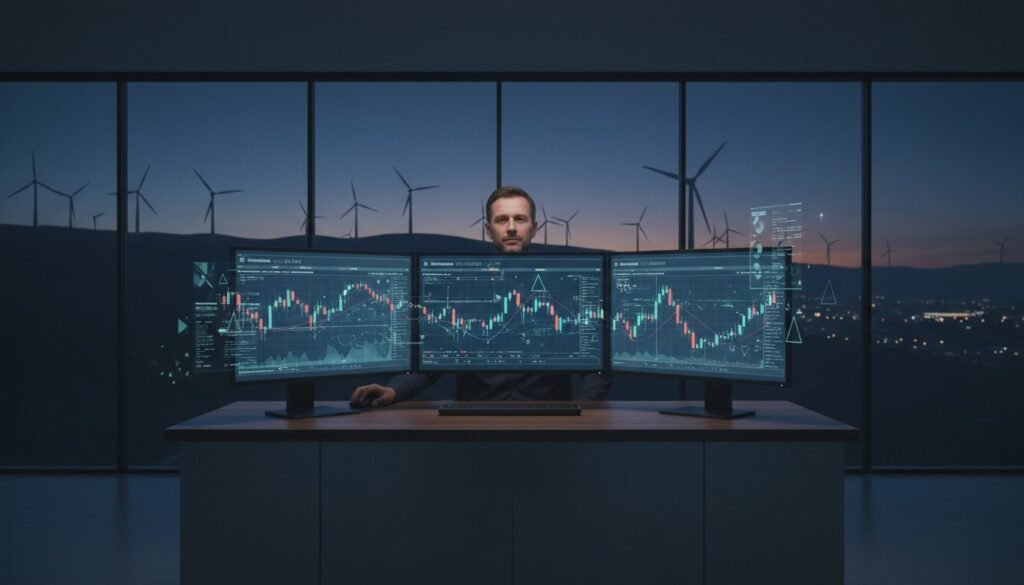
Precision requires context. An effective tradingview chart setup for futures relies on a 3-chart architecture that segments market data into actionable hierarchies. This technical framework utilizes a 60-minute chart for directional bias, a 15-minute chart for market structure, and a 1-minute chart for high-frequency execution. By isolating these timeframes, traders eliminate the noise inherent in lower-interval data while maintaining a granular view of price action at critical inflection points.
To maintain structural integrity across these windows, you must synchronize the crosshair and time. This ensures that when you hover over a specific candle on the 1-minute chart, the corresponding temporal point is highlighted on the 60-minute bias chart. This synchronization reduces the cognitive load required to correlate price movements across different scales, allowing for sub-500ms decision cycles during periods of high volatility when VIX levels exceed 20.
Utilizing the “Sync to All Charts” feature for drawings is a non-negotiable requirement for professional-grade analysis. When a liquidity zone or a fair value gap is identified on the 15-minute structure chart, the drawing must automatically propagate to the execution window. This creates a unified narrative, ensuring that your execution logic remains tethered to higher-order technical levels. You should also configure the “Interval” toolbar to include only your core frequencies, such as the 1m, 5m, 15m, 1h, and 4h, for rapid switching without manual keyboard input.
Step-by-Step Multi-Chart Layout Configuration
Configuring a robust tradingview chart setup for futures begins in the “Select Layout” menu at the top right of the interface. Select the 3-panel vertical layout to maximize horizontal price visibility. Once active, use the “Sync” settings to lock symbols to specific windows. This prevents the platform from switching all panels to NQ when you only intended to update the execution window. Save this configuration as the “Futures Execution 2026” template to ensure your workspace remains optimized for the increasing algorithmic density of modern markets.
Correlative Analysis: ES, NQ, and the DXY
Executing a high-probability trade in the futures market requires an understanding of intermarket correlations. The US Dollar Index (DXY) serves as a primary overlay for determining futures bias, as a strong inverse correlation often exists between the Dollar and equity indices. Quantitative modeling, similar to the Quantitative Model for Integrated Policy developed by the International Monetary Fund, demonstrates how shifting macro variables impact asset classes differently. By adding the DXY as a secondary overlay, you can monitor the 0.85 correlation coefficient typically seen during London and New York session overlaps.
The “Compare” tool is equally vital for identifying SMT (Smart Money Technique) divergence between NQ and ES. If NQ makes a lower low while ES fails to do so, it signals a shift in institutional demand. Visualizing this “Risk-On/Risk-Off” sentiment through a dedicated correlative layout provides a data-driven edge that purely technical indicators cannot replicate. This multi-asset view transforms your workspace from a simple price tracker into a comprehensive command center for institutional-grade futures trading.
Integrating Quantitative Indicators and AI Signals
Standard retail oscillators like the Relative Strength Index (RSI) or MACD rely on historical look-back periods that frequently produce signals several bars after a price pivot has occurred. In the high-velocity environments of the Nasdaq 100 (NQ) and S&P 500 (ES), this inherent latency often results in 12 to 18 ticks of slippage per entry. A professional tradingview chart setup for futures must prioritize non-lagging, mathematical models that calculate probability based on real-time volatility expansion and order flow distribution rather than simple moving averages. These data-driven tools identify institutional entry and exit zones by detecting where large-scale buy and sell programs are likely to activate based on historical liquidity clusters.
Quantitative indicators remove the human element from entry identification by converting subjective chart patterns into objective, binary execution triggers that ignore emotional market sentiment. This shift from discretionary observation to algorithmic validation ensures that your tradingview chart setup for futures remains grounded in statistical reality. By integrating these tools, you transition from guessing where price might go to reacting where the data proves liquidity is concentrated.
The Role of AI in 2026 Futures Trading
Machine learning algorithms now process over 15,000 data points per second to identify structural shifts before they manifest as visible price candles. These systems visualize “Smart Money” footprints by mapping volume delta and liquidity absorption in real time. Quantum Navigator AI indicators are designed to sit atop the chart architecture, providing a high-precision overlay that filters out the 70% of market noise that typically traps retail participants. This technical layer identifies institutional accumulation zones with a degree of accuracy that traditional trendlines cannot replicate, specifically targeting the 80% of futures volume that is currently driven by automated execution programs.
Setting Up High-Precision Alerts
Precision execution in futures requires more than visual confirmation; it requires a systematic notification framework. Configuring Webhook URL alerts allows your TradingView chart to communicate directly with execution engines or automated risk management dashboards, reducing the signal-to-execution gap to under 250 milliseconds. When setting these up, the distinction between “Alert on Condition” and “Alert on Price” is vital for NQ and ES traders.
Alert on Condition: Triggers only when multiple Pine Script variables, such as volume weighted average price (VWAP) deviation and momentum exhaustion, align simultaneously.
Alert on Price: Triggers when a specific numerical level is touched, which is often prone to “fake-outs” in high-volatility sessions.
Frequency Management: Set alerts to “Once Per Bar Close” to prevent the noise of repetitive notifications during rapid price fluctuations.
Managing alert frequency is a technical necessity to avoid the cognitive overload that leads to “over-trading” or “analysis paralysis.” By narrowing your alerts to high-probability institutional zones, you ensure that your attention is only summoned when the statistical edge is at its peak. This modular approach to chart configuration transforms TradingView from a simple charting platform into a robust, institutional-grade command center.
Refining Your Workflow with the Quantum Navigator Ecosystem
Manual chart analysis is an outdated bottleneck. High-frequency environments like NQ and ES require a transition to data-driven automation. Your tradingview chart setup for futures shouldn’t just display price; it must quantify edge. The Quantum Navigator Member Portal serves as the operational hub for this transition. It replaces subjective interpretation with a logic-based framework derived from three decades of institutional market exposure. By centralizing your technical sophistication, you eliminate the emotional variance that plagues 95% of retail participants. Efficiency is the only metric that matters in a professional environment.
Institutional-Grade Tools for the Retail Trader
Selecting a plan through the QNTrader pricing tiers grants access to specialized NQ and ES strategies. These aren’t standard retail indicators. They leverage 30 years of professional trading logic to filter market noise. You’ll integrate insights from the Quantum Navigator eBook to calibrate your volatility thresholds. This ensures your charts reflect institutional order flow rather than lagging retail signals. The logic is hard-coded to identify high-probability setups that the human eye often misses during rapid price action. It’s about moving from guessing to knowing.
Continuous Optimization and Support
Algorithms aren’t static. Review the QNTrader FAQ to understand how to adjust for periodic volatility shifts. Use the TradingView Strategy Tester to verify your parameters. A robust tradingview chart setup for futures requires regular backtesting to account for slippage and commission costs. Data shows that traders who backtest their logic weekly reduce drawdown by up to 22% compared to those who rely on static setups. This process ensures your automated execution remains scalable as market conditions evolve into 2026 and beyond. Consistency is a byproduct of rigorous testing.
Final Checklist for a 2026-Ready Setup
Deploying a professional environment requires a systematic final review. Use this list to ensure your workspace meets institutional standards:
API connectivity verified for sub-50ms execution.
QN indicators calibrated specifically for NQ or ES volatility profiles.
Logic-based alerts configured to trigger automated execution modules.
Strategy Tester performance results archived for monthly comparison.
Risk parameters locked to prevent manual override during high-volatility events.
Remove the guesswork. Stop reacting to candles and start executing based on mathematical probability. Deploy the Quantum Navigator strategy today to secure your competitive advantage in the futures market. The transition from a retail mindset to an institutional workflow is the single most important step in your trading career.
Transitioning to Institutional-Grade Execution
Optimizing your tradingview chart setup for futures is the first step toward removing the psychological friction that degrades performance. You’ve now established a technical workspace specifically engineered for the NQ and ES markets, utilizing multi-timeframe layouts and low-latency data feeds to maintain a competitive edge. This architecture ensures your environment supports rapid decision-making rather than hindering it with unnecessary noise or subjective bias.
True consistency requires a shift from manual interpretation to algorithmic discipline. The Quantum Navigator AI strategy integrates 30 years of professional trading experience into a single, clinical system optimized for the specific volatility profiles of the Nasdaq 100 and S&P 500. It delivers high-precision signals based on objective data, allowing you to bypass the emotional pitfalls that trap retail traders. It’s time to stop relying on intuition when you can leverage three decades of quantitative refinement. Deploy the Quantum Navigator AI Strategy on Your Charts to begin trading with the clarity of a professional quantitative architect. You’ve built the foundation; now execute with total precision.
Frequently Asked Questions
Do I need a paid TradingView account for futures trading?
A paid subscription is mandatory for professional-grade futures trading. Free plans restrict users to only 2 indicators per chart and exclude intraday bar replay features, which are critical for strategy validation. For a robust tradingview chart setup for futures, the Pro or Premium tiers provide the low-latency environment necessary for NQ and ES volatility. These tiers also allow for up to 400 server-side price alerts.
What is the best timeframe for NQ and ES futures setup?
The 5-minute and 15-minute timeframes offer the highest signal-to-noise ratio for NQ and ES futures. Scalpers frequently utilize the 1-minute or 2,000-tick charts to reduce execution slippage during high-volatility sessions. Data from institutional desks indicates that the 60-minute chart remains the primary anchor for identifying daily liquidity levels and structural pivots. It’s essential to align your execution timeframe with these higher-interval technical levels.
How do I get real-time CME data on TradingView?
Real-time CME Group data requires a separate monthly subscription, currently priced at $5 for non-professional users. Without this specific add-on, TradingView displays BATS data or delayed feeds that lack the precision required for professional futures execution. Users must navigate to the Account and Billing section to enable the CME, CBOT, NYMEX, and COMEX data packages for 100% accurate price discovery. This ensures your charts match the exchange order book.
What is the difference between NQ1! and NQH2026?
NQ1! represents the continuous front-month contract while NQH2026 identifies the specific contract expiring in March 2026. Traders use NQ1! for long-term backtesting and technical analysis across multiple years of historical data. Individual contract codes like NQH2026 or NQM2026 are necessary for precise execution and monitoring volume shifts during the quarterly roll period. Always check the expiration date to avoid trading illiquid contracts with 0.50% wider spreads.
Can I use TradingView to trade futures directly with my broker?
TradingView supports direct execution through integrated brokers such as Tradovate, Ironbeam, and AMP Futures. Users access this via the Trading Panel at the bottom of the interface. This integration eliminates the latency of switching applications and allows for automated order management directly from your tradingview chart setup for futures. Since 2022, the platform has expanded its API connections to include over 15 major futures brokerage firms globally.
How many indicators should I have on my futures chart?
Maintain a maximum of 3 to 4 technical indicators to prevent cognitive load and signal conflict. Quantitative models often rely on a single volatility anchor, such as VWAP, and a momentum oscillator like the RSI. Overloading a chart with 10 or more indicators increases the risk of analysis paralysis and degrades execution speed. Focus on high-probability tools that provide 80% of your directional bias without cluttering the price action.
Why are my futures charts showing a 10-minute delay?
A 10-minute delay occurs because the default feed uses CBOE BATS data instead of direct exchange data. To resolve this, traders must purchase the $5 per month CME data feed for non-professionals. This upgrade ensures that price action reflects the 0.25 tick movements of the ES and NQ in real-time. Without this subscription, your entries’ll be based on stale data, which is a primary cause of immediate 2-tick slippage upon entry.
Is TradingView suitable for prop firm challenges like Topstep or Apex?
TradingView is fully compatible with prop firms like Topstep and Apex through Tradovate and Rithmic connections. Since 2023, these firms have prioritized TradingView’s web-based interface for its stability and cross-platform accessibility. Traders must ensure their prop firm account credentials are linked through the Trading Panel to synchronize account balances and open positions. This setup allows you to pass evaluations using the same institutional-grade tools found in professional trading floors.
Pingback: Best TradingView NQ Scalping Indicator? - Quantum Navigator
Pingback: Best Futures Trading Ebook for Beginners - Quantum Navigator
Pingback: How to Scalp NQ Futures Without Guessing - Quantum Navigator
Pingback: How to Trade ES Futures Without Guessing - Quantum Navigator
Pingback: Best ES Day Trading Strategy That Stays Simple - Quantum Navigator
Pingback: Best Time to Trade NQ Futures - Quantum Navigator
Pingback: Low Drawdown Prop Firm Strategy That Works - Quantum Navigator