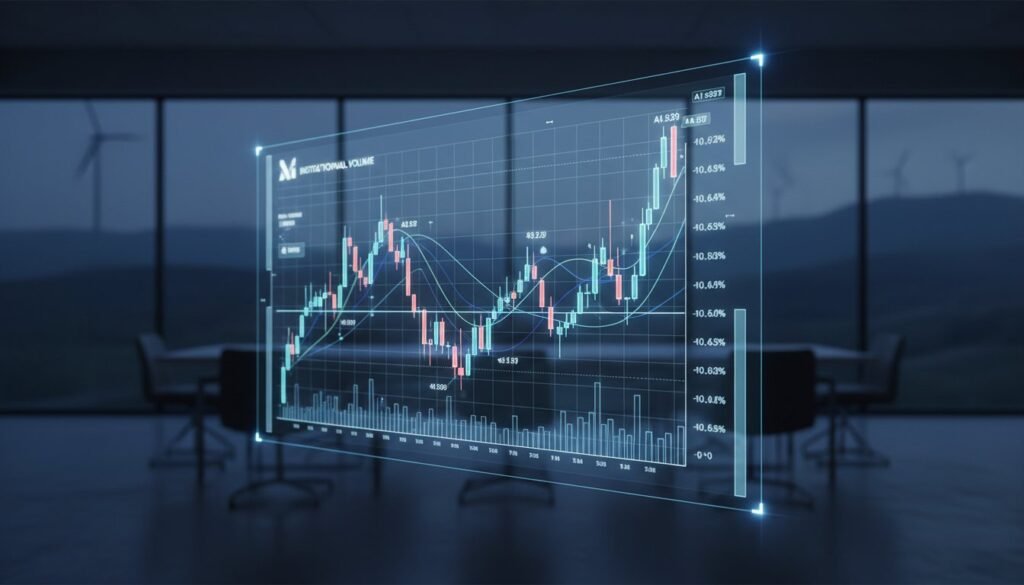
Most traders don’t need more tools. They need to learn how to use TradingView indicators without turning the chart into a circus. If you trade NQ or ES, the problem usually isn’t access to indicators. It’s that you’ve got too many signals, too many opinions, and no clear rule for what matters most when price starts moving fast.
That’s where traders get stuck. They add one momentum tool, then a moving average, then volume, then another “secret” script from a YouTube video. A week later, they’re still second-guessing entries, still moving stops, and still wondering why every setup looks obvious only after the move is over.
The fix is simple, but not easy. Use indicators to support decisions, not replace them. On TradingView, that means building a chart that gives you structure fast – trend, timing, risk, and targets – without drowning you in noise.
How to use TradingView indicators without clutter
The biggest mistake traders make is using indicators like decorations. Every tool has to earn its place on the chart. If it doesn’t help you answer a trading question in real time, get rid of it.
For futures scalpers and day traders, there are only a few questions that matter. Is the market trending or chopping? Is this a location where a reaction is likely? Is momentum confirming the move or fading? Where is the trade invalid if you’re wrong? If your indicators don’t help answer those questions, they’re just slowing you down.
TradingView makes it easy to add scripts, overlays, and custom studies. That convenience is also the trap. A clean chart with two or three well-understood indicators will usually outperform a chart stacked with ten conflicting signals. More information does not automatically produce better execution. In fast markets, it often does the opposite.
Start with one indicator for structure, one for timing, and one for confirmation if you truly need it. That’s enough for most NQ and ES traders.
Pick indicators by job, not by hype
This is where a lot of traders waste months. They search for the best indicator when they should be searching for the right role.
A structure indicator helps you define the market environment. That might be a VWAP, session highs and lows, key moving averages, or a trend-based overlay. Its job is to tell you whether you should be thinking pullback, breakout, or stay out.
A timing indicator helps with entry. That could be a momentum shift, a crossover, a reversal signal, or a trigger tied to candle behavior around a level. This is the part traders obsess over, but timing means very little if structure is weak.
A confirmation indicator is optional. Read that again. Optional. If you need three extra signals to take a trade, you probably don’t have a real setup. Confirmation should reduce bad trades, not delay good ones until the move is gone.
The strongest indicator setups are boring. They repeat. They’re easy to read. They don’t require a 12-step checklist while the market is moving 20 points in under a minute.
How to use TradingView indicators for NQ and ES
NQ and ES don’t reward hesitation. They move differently, react differently, and punish sloppy entries fast. So if you’re learning how to use TradingView indicators for index futures, your setup needs to match the instrument.
NQ is faster and more aggressive. It can blow through levels, fake a breakout, then reverse hard. Indicators on NQ need to help with speed and invalidation. You don’t want tools that lag badly or only confirm after the move is mostly finished.
ES is cleaner in some sessions, but it still traps traders who enter late or force trades in dead zones. On ES, indicators that define key areas and show whether price is accepting or rejecting a level can be more useful than flashy momentum tools.
That means your indicator settings may need to change by market and timeframe. A setting that looks great on a 5-minute ES chart may be useless on a 1-minute NQ chart. This is where traders get lazy. They copy settings from someone else and assume it should work. It depends on your session, your risk tolerance, and whether you scalp for quick moves or hold for larger intraday targets.
If you trade prop firm rules, this matters even more. Tight drawdown limits don’t leave room for random experimentation. Your indicators should make risk smaller and decisions cleaner.
Build a chart that tells you three things fast
A functional TradingView chart should tell you trend, trade location, and risk in seconds.
Trend is the broad filter. Are you trading with momentum, fading an extension, or stuck in chop? If your chart doesn’t answer that quickly, you’re already behind.
Trade location is where many losing traders fall apart. A signal in the middle of nowhere is still a bad trade. Good indicators help you identify areas that matter – prior highs and lows, session opens, VWAP zones, support and resistance, or algorithmic levels that repeatedly produce reactions.
Risk is the non-negotiable piece. Every indicator should ultimately support one thing: where the trade is wrong. If a tool gives you entries but no clean invalidation point, it’s incomplete. A setup without a defined stop is not a strategy. It’s a hope trade.
This is why rules-based indicator systems are so effective when they’re built correctly. They strip out the guesswork. Instead of staring at candles and inventing stories, you’re reading a process.
Set alerts and stop babysitting every candle
One of the most underused parts of TradingView is alerts. Traders sit glued to the chart, burn mental energy, and end up forcing trades because they’ve spent two hours watching price do nothing.
Set alerts at levels that matter. Set them when your indicator conditions line up. Let the market come to you.
This doesn’t mean you go fully hands-off. It means you stop acting like every candle deserves your attention. Alerts help you stay selective, and selective traders usually protect capital better than traders who need constant action.
If your current routine is watching five charts, flipping timeframes every 30 seconds, and jumping in because one oscillator twitched, that’s not analysis. That’s noise addiction.
Backtest the logic, not just the pretty signals
A common rookie move is choosing indicators because they look amazing on historical charts. Of course they do. Everything looks smart after the move is complete.
You need to test how the indicator behaves in live conditions. Does it repaint? Does it trigger too late? Does it perform differently during the open versus midday? Does it help you avoid bad trades, or does it just mark obvious ones after the fact?
Backtesting matters, but be honest with it. Don’t cherry-pick sessions. Don’t ignore slippage. Don’t pretend every signal was tradable. If you scalp NQ or ES, execution quality matters almost as much as signal quality.
This is also where traders learn a hard truth: a good indicator can still lose in the wrong hands. If you break your own risk rules, skip valid setups, and chase after extended candles, no script is going to save you.
Stop bouncing from indicators
Most traders don’t fail because TradingView lacks tools. They fail because they keep switching tools every time they hit a rough patch.
That’s a discipline problem, not an indicator problem.
You need enough screen time with one structured setup to understand its strengths and limits. Some indicators work better in trend days. Others help more in mean reversion. Some are better during the first 90 minutes. Some become unreliable in low-volume chop. That nuance only shows up when you stop changing everything every week.
No fluff, no magic, no guessing. Pick a clean framework, test it hard, and execute it with consistency.
If you want a serious edge, look for indicators and training built specifically for TradingView futures traders instead of generic tools made for everyone and useful to no one. That’s the whole point behind systems like those at qntrader.com – less confusion, faster decisions, and a more disciplined path from signal to execution.
The traders who win with indicators aren’t the ones with the busiest charts. They’re the ones who know exactly what each tool is there to do, when to trust it, and when to stand aside.